fast-down/core 加入 Discord 社区

fast-down
速度的物理极限

基于 Rust 构建的现代下载引擎生态。自研 fast-steal 算法,彻底打破“最后1%”的等待魔咒

fast-down/fast-steal

算法级的降维打击

传统的下载器常在最后 1% 卡死。fast-down 采用低锁动态负载均衡,空闲线程实时窃取繁忙区间
以下为 6GB Windows 11 ISO 镜像下载实测(以 10s 为阶梯划分):

排名 / 下载器 耗时 (越短越强)
第一梯队
1. fast-down
1m12s
第二梯队
2. aria2
1m23s
3. FDM
1m25s
4. Fluxdown
1m26s
第三梯队
5. IDM
3m20s
6. NDM
3m25s
第四梯队
7. PCL2
7m12s

双面旗舰

针对大众用户与硬核极客分别打造的巅峰客户端
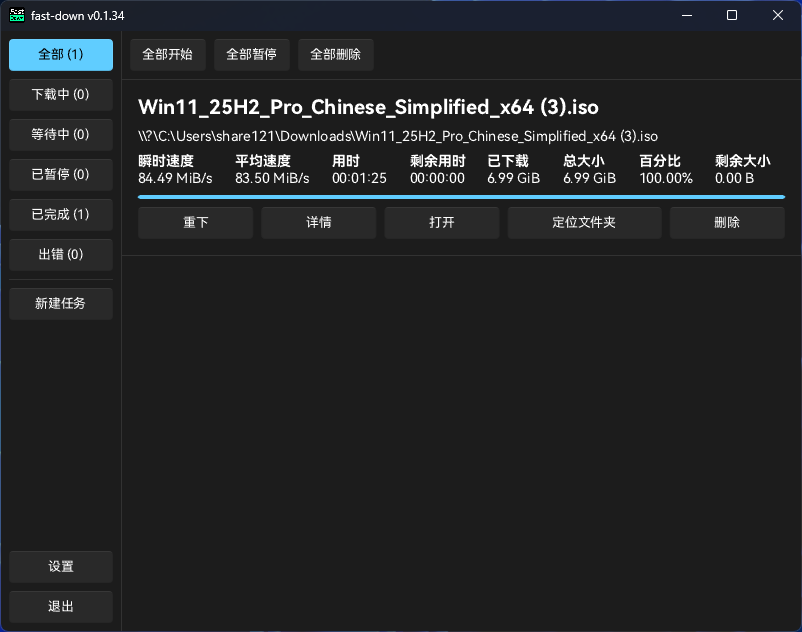
fast-down/gui

桌面 GUI

原生 Slint 渲染,支持 Windows / macOS / Linux

GUI Screenshot
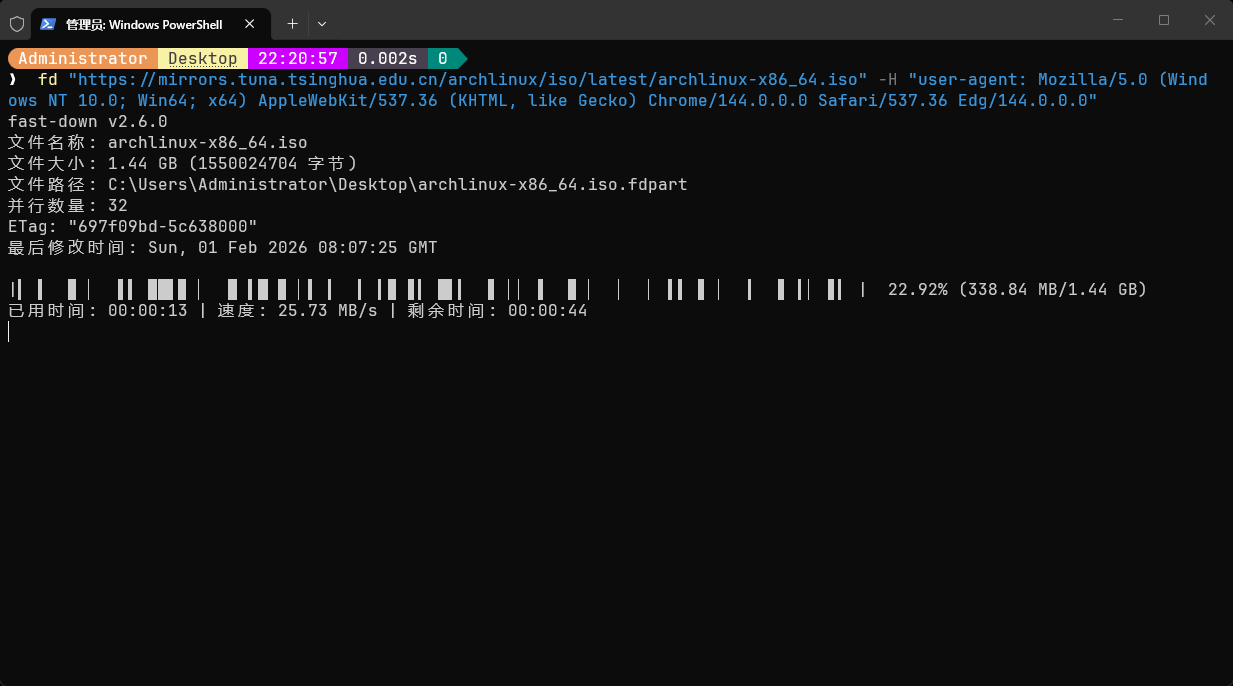
fast-down/cli

终端 CLI

单文件零依赖,支持 Windows / macOS / Linux

CLI Screenshot

安装与分发中心

无论你是需要一行命令自动部署,还是全架构的独立二进制,这里都有

全平台二进制矩阵

架构 Windows Linux macOS
x86_64
x86 Not Supported
aarch64

一键安装 CLI 工具

Linux / macOS

$curl -fsSL https://fd.s121.top/update/cli/install.sh | bash
# 或者使用 wget
$wget -qO- https://fd.s121.top/update/cli/install.sh | bash

Windows

>powershell -ExecutionPolicy ByPass -c "irm https://fd.s121.top/update/cli/install.ps1 | iex"

一键安装 GUI 客户端

Linux / macOS

$curl -fsSL https://fd.s121.top/update/gui/install.sh | bash
# 或者使用 wget
$wget -qO- https://fd.s121.top/update/gui/install.sh | bash

Windows

>powershell -ExecutionPolicy ByPass -c "irm https://fd.s121.top/update/gui/install.ps1 | iex"

无缝接管:浏览器插件

fast-down/addons

无需开机自启,安装插件后,在网页点击下载链接,插件将自动抓取 Cookie / Referer,并通过 Native Messaging 安全协议唤起 GUI 客户端开启全速下载

官方商店安装

Edge Add-ons Firefox Add-ons

离线安装包 (ZIP 直链)

Chrome (ZIP) Firefox (ZIP)

开发者宇宙

不仅仅是应用,更是可轻易集成到你流水线与业务代码中的基础设施

fast-down/action

加速你的 CI/CD 流水线

告别 Runner 孱弱的默认下载速度。官方 Setup Action 自动识别系统与架构,一键注入下载引擎

- name: Setup fast-down
   uses: fast-down/action@v1

- name: Download Dataset
   run: fd "https://storage.example.com/dataset.zip"
fast-down/fast-down-js

Node.js 原生绑定

基于 N-API 深度桥接。用 JavaScript 的开发体验,享受底层 Rust 引擎无损的多线程 IO 性能

import { prefetch } from '@fast-down/fast-down';

const task = await prefetch(url);
await task.start(task.info.filename());
fast-down/fast-down-py

Python 异步支持

基于 PyO3 构建,完美支持 asyncio 异步事件循环。安全、轻松的在你的代码中使用 fast-down 加速下载

import fastdown

task = await fastdown.prefetch(url)
await task.start(task.info.filename())